.svg)
 Contact
Customer
Operations
AI You Can
Control.
Engage prospects, convert leads, and support customers across chat, voice, email, and WhatsApp – connected to your systems, grounded in shared customer context, and controlled in Zing.
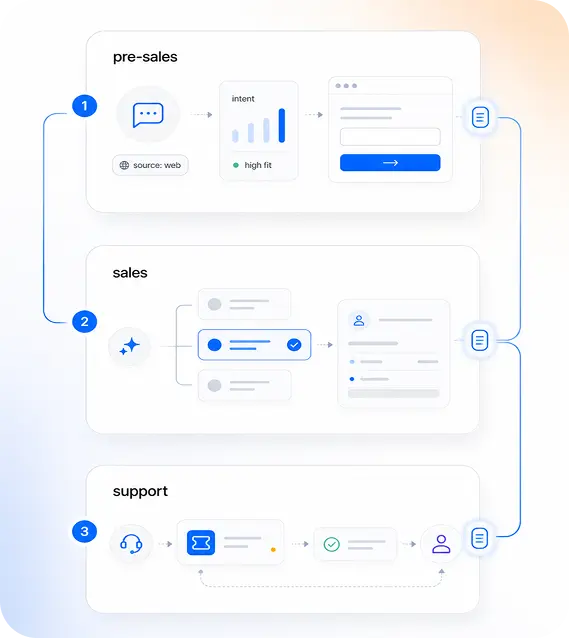
Before, during, and after the sale.
Customer operations do not stop at the handoff. Zangoh keeps every customer-facing workflow connected.

Engage
Capture intent before the sales conversation starts.

Convert
Help buyers move from interest to decision.

Support & Grow
Resolve issues and keep the relationship moving.
Sales and support should remember the
same customer.
Zangoh keeps customer context across channels and workflows, so every AI
interaction starts with what the business already knows.
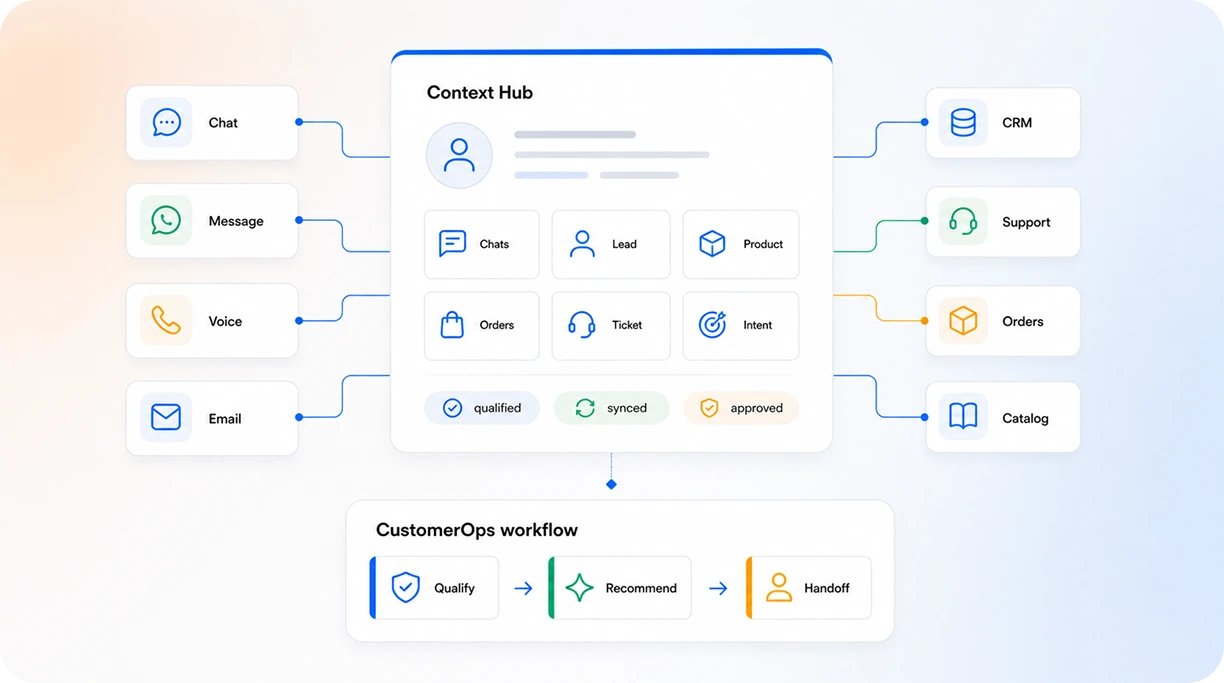
One system. Three surfaces.
Customers get fast help. Operators get control. Admins get safe ways to improve the workflows.
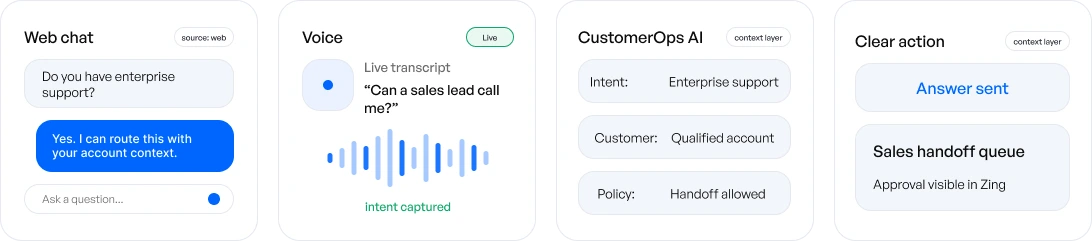
For Customers
Clean chat and voice interaction.
Customers can ask by chat or voice. CustomerOps AI assembles context, responds quickly, and hands off with full context when required.
Workflows that keep customers moving.
Start with one workflow. Add more as the system learns your customer operations.

Before Sales
Capture and understand intent

Inbound intent capture
Turn inquiries into structured leads.

Product and policy Q&A
Answer with catalog and policy data.

Lead enrichment
Collect context before handoff.

During Sales
Qualify and drive forward

Qualification and routing
Score fit and route high-value leads.

Product recommendation
Suggest based on need and rules.

Sales assistance
Guide next best actions.

After Sales
Support and grow relationships
Issue triage
Use live context to resolve faster.
Issue resolution
Resolve with workflows and knowledge.
Retention and upsell
Drive long-term customer value.
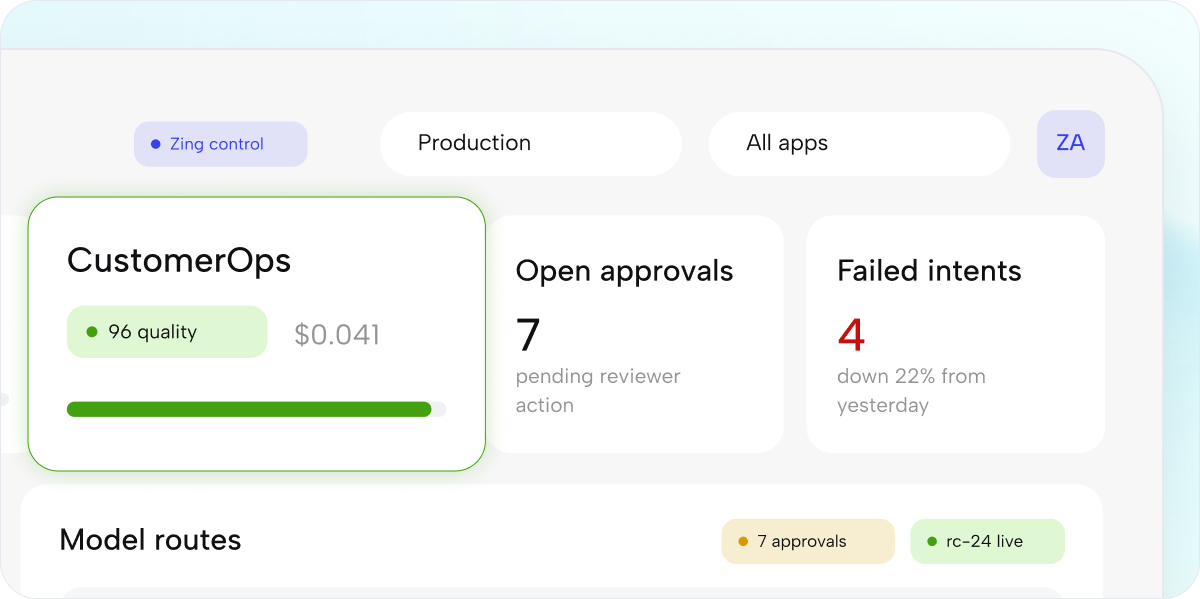
Controlled in Zing.
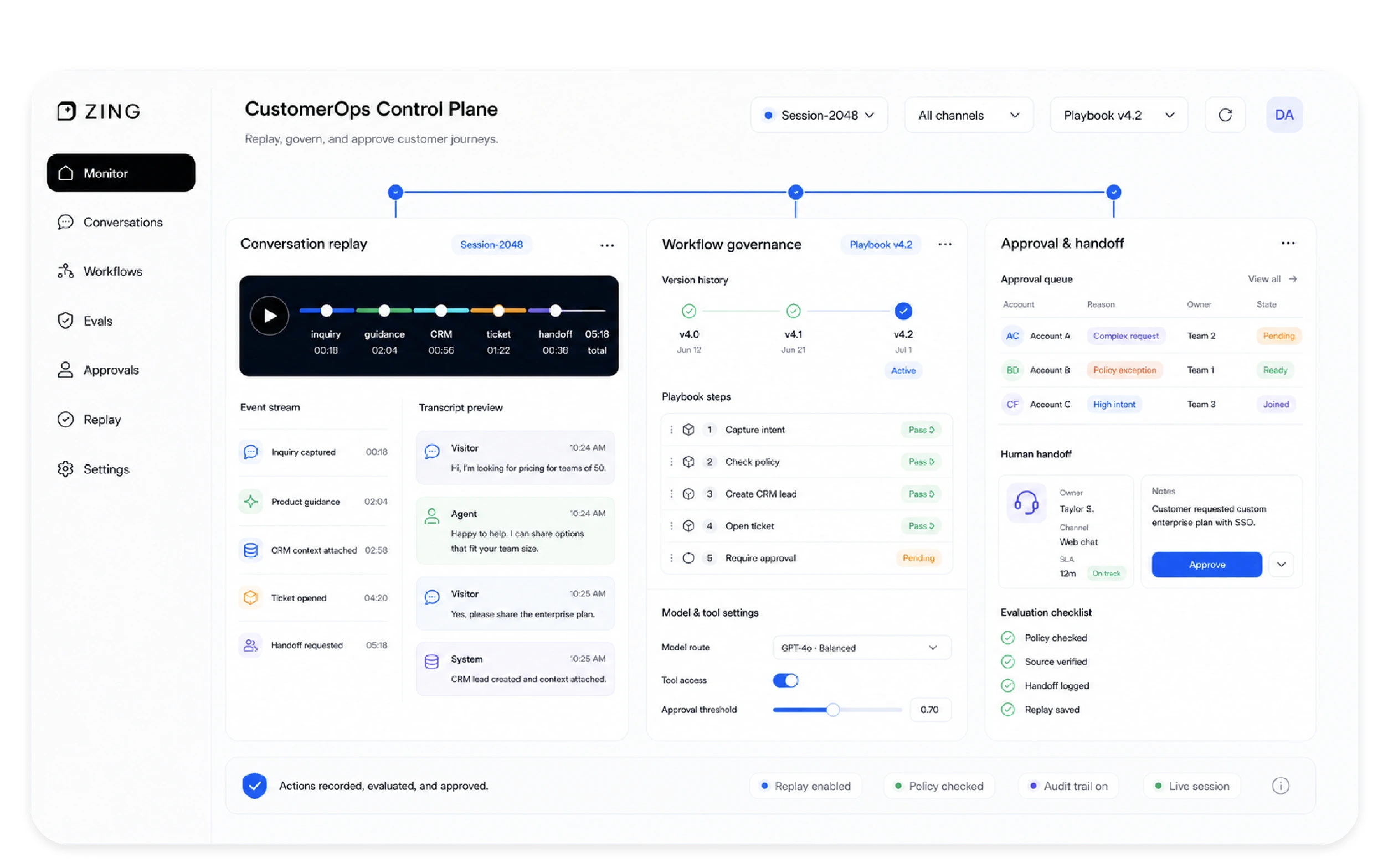
Replay every conversation, inspect tool calls,update workflows,run evals, and approve changes before they go live.

Replay
See the customer message, context used, model call, tool action, and final response.

Evaluations
Test workflows against real and synthetic scenarios before release.

Workflow changes
Ask for a change, review the diff, and deploy after approval.

Cost and model control
Choose models, track usage, and route tasks by cost, speed, or quality.
Connect the tools your team already uses.
Customer operations act through your CRM, support desk, catalog, calendar, communication channels, and internal APIs.

CRM
Sync leads, contacts, and accounts in real
time

Support Desk
Create tickets, update status, and resolve
faster.

Catalog/ Inventory
Access products, pricing and stock
instantly

Calendar
Schedule meetings and manage availability.

Send, receive, and track emails
automatically.

WhatsApp / SMS
Engage customers on their preferred
channels.

Voice
Make and receive calls, log, and track
outcomes.

Payments
Process payments and verify transactions.

ERP / order systems
Manage orders, invoices, and fulfillment.

Custom APIs
Build custom connections for any internal
system.
Works with the tools you already use
CRM


Support Desk



Catalog / Inventory

Calendar

Channels



CRM
Support Desk
Catalog / Inventory
Calendar
Channels
Measure the work, not the hype.
Track resolution, conversion, handoff, cost, and quality from one control layer.
Connect the tools your team already uses.
Customer Operations acts through your CRM, support desk, catalog, calendar, communication channels, and internal APIs.
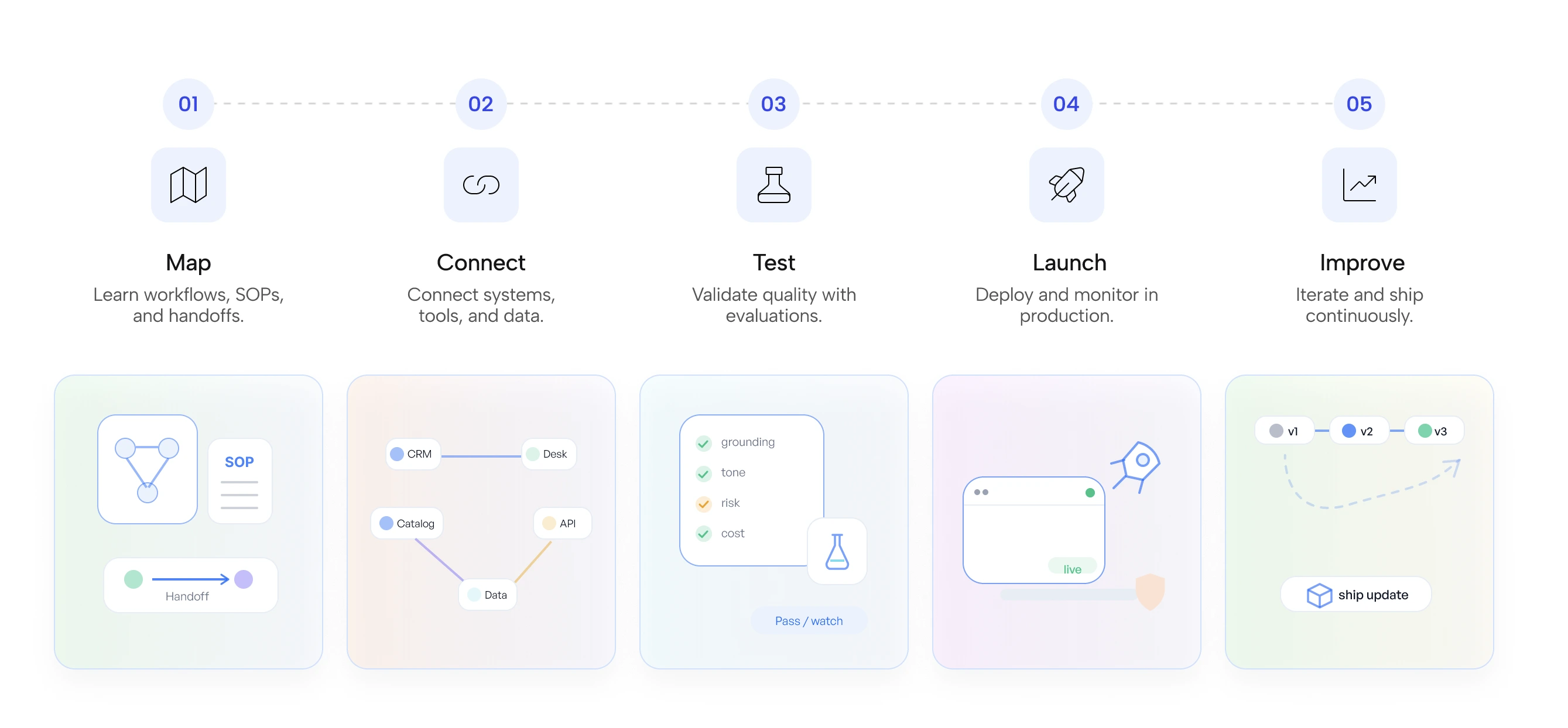
Start with one customer workflow.
We will help you to launch it, connect it to your tools, and control it in Zing.